Add and manage tenants
Under Inquilini you record who rents which property and on what terms. A tenant links a contact (the person) to a property, optionally a unit, and the rental terms: lease period, rent, deposit. Open the page in the sidebar under Gestione → Inquilini.
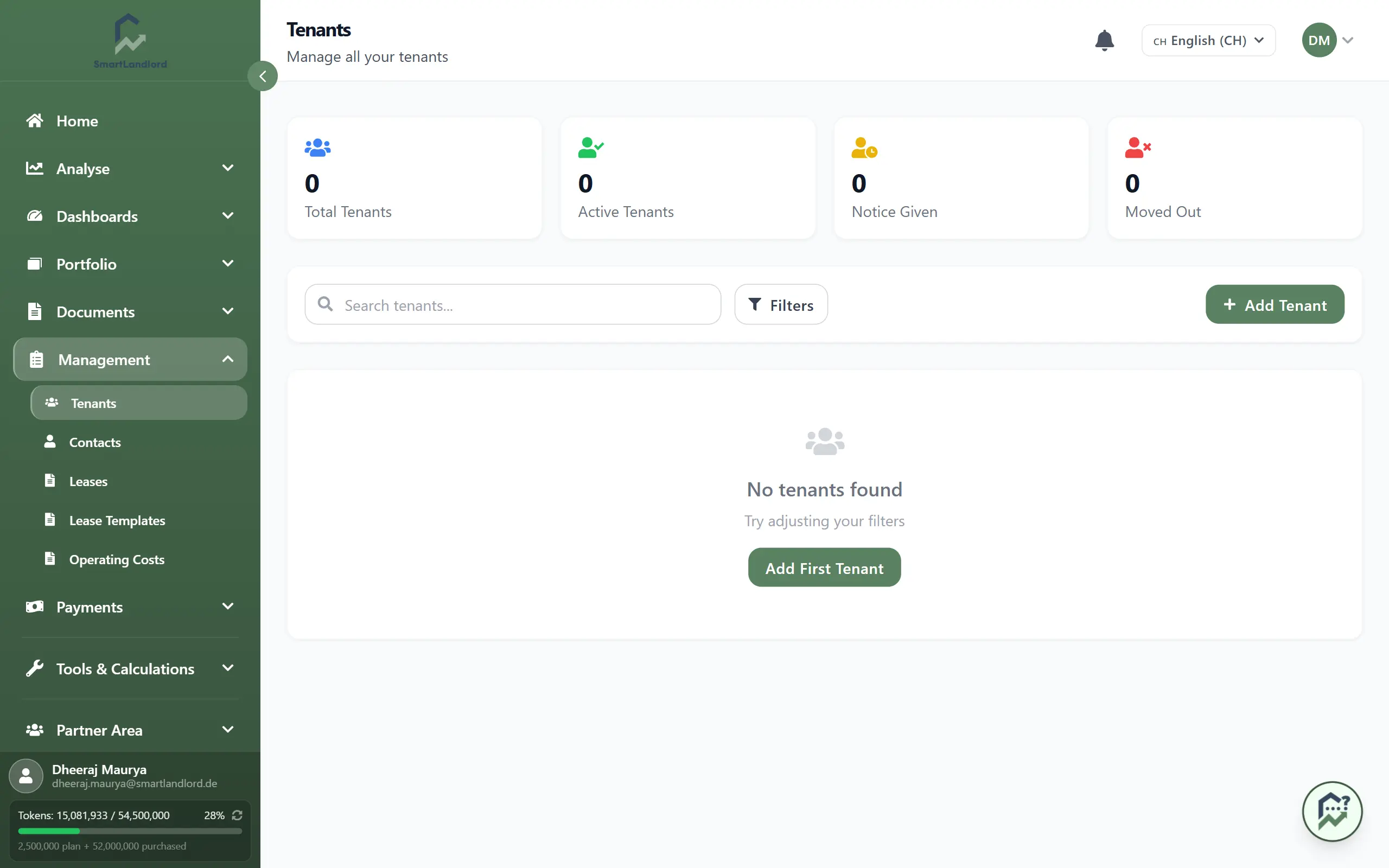
The tenant list
Four tiles at the top show the number of tenants in total and per status (Inquilini attivi, Disdetta comunicata, Trasferito). Below, each tenant has a card with name, unit, address, total rent, deposit status, lease start and lease end (shown as "Indefinito" for open-ended leases). Click a card to open the tenant page.
- The search field and the Filtri button narrow the list; in the filter area you pick a status.
- Each card has the buttons Modifica and Adattare l'affitto, plus a button on the far right to remove the tenant (see below).
- The list shows 12 tenants per page.
Add a tenant
Click Aggiungi inquilino. A form opens on the right. While you have no tenants yet, it opens by itself when you load the page.
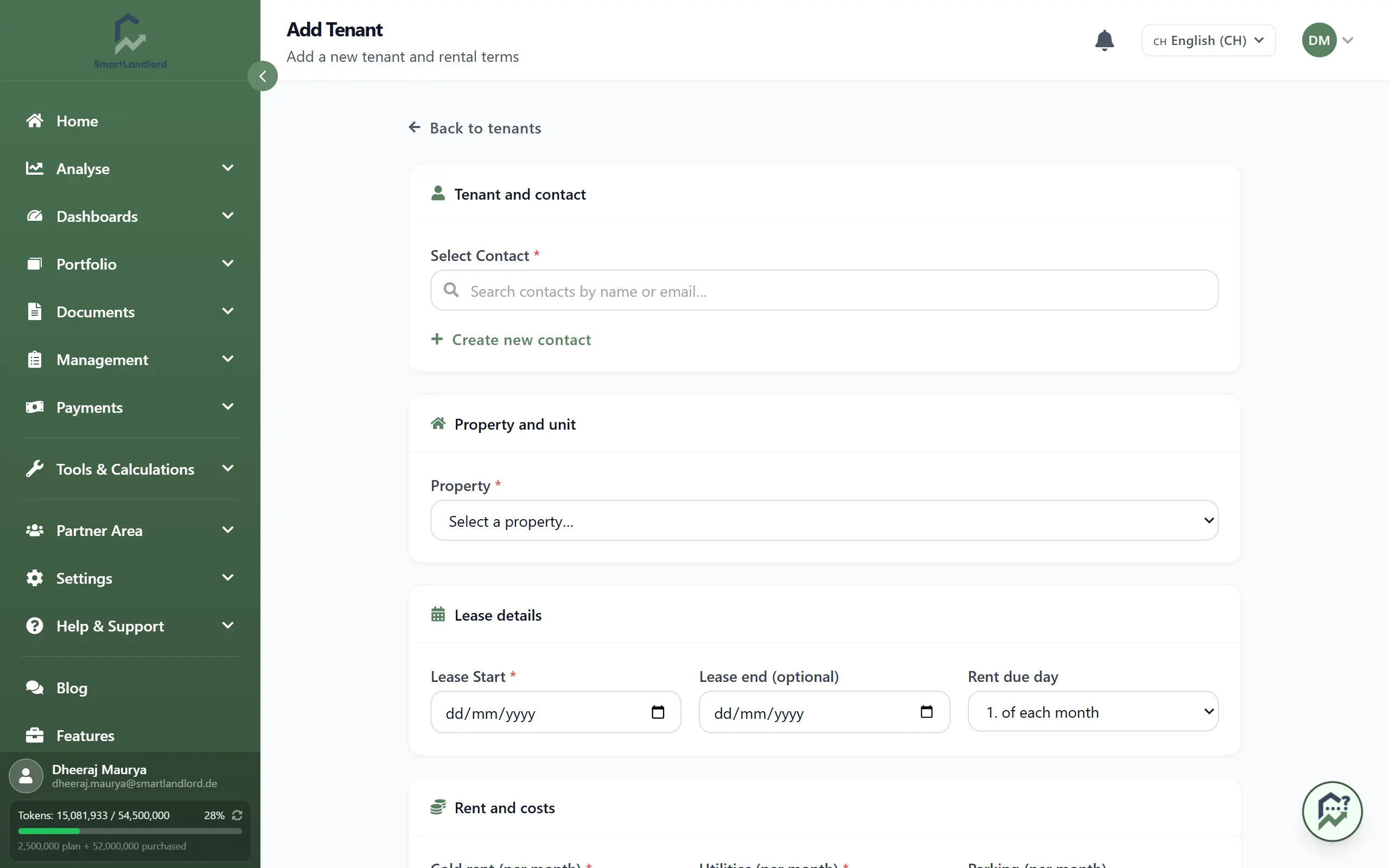
Fill in the sections from top to bottom. The contact, the property, the lease start and the cold rent are required; the last three are marked *.
- Contatto inquilino – search for an existing contact, or click Creare un nuovo contatto to create the person right inside the form. Only active contacts are offered. Reuse the same contact if the person later rents another unit.
- Proprietà e unità – choose the Proprietà. If it is a building with several units, a Unità field appears as well. Choosing the property prefills cold rent, utilities and parking rent from the values stored on the property, where there are any. You can overwrite them.
- Dettagli contratto – Inizio contratto (required), Fine contratto (leave empty for an open-ended lease) and Giorno di scadenza.
- Affitto e costi – Affitto base (required), Spese, Parcheggio, Numero di persone and Deposito. The Affitto totale is calculated from the three rent amounts. Once a cold rent is entered, the form offers a button that fills in three cold rents as the deposit. Tick Deposito ricevuto if the deposit has been paid.
- Note – optional, visible only to you.
Save with Aggiungi inquilino at the bottom of the form. A new tenant always has the status Attivo. If a required entry is missing or the lease end is before the lease start, a message appears at the field concerned.
Numero di persone is used by the operating costs for costs that are split by persons. Keep it up to date. A tenant without a Inizio contratto is skipped by the operating cost statement.
The tenant page
Click a card to open the tenant's page.
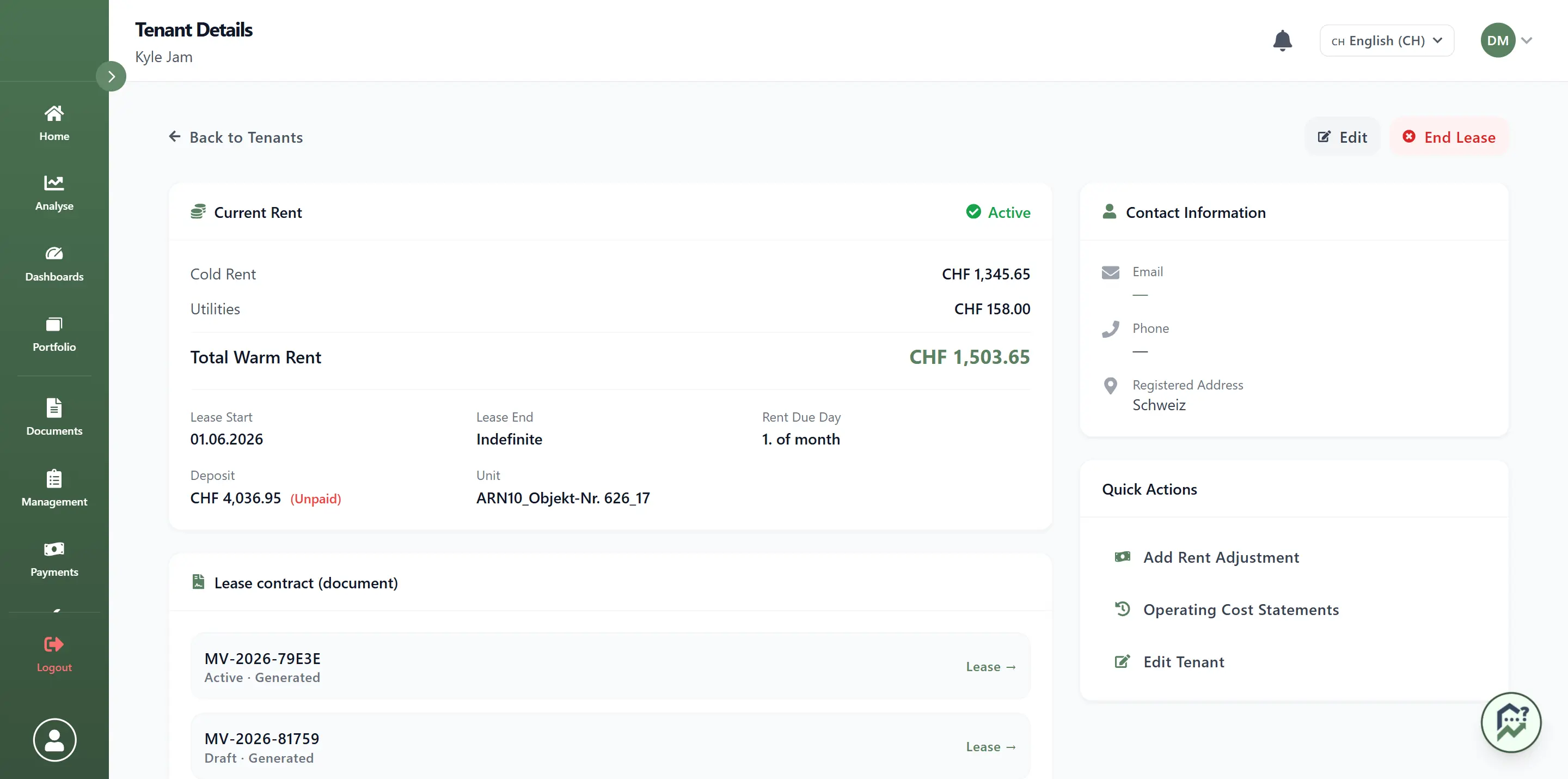
Header: Modifica opens the same form as when adding, now with the extra section Stato del contratto. There you set the tenant to Attivo, Disdetta comunicata or Trasferito. With Disdetta comunicata the form reminds you to update the move-out date. While the tenant is active, the button Fine locazione sits next to it.
Left column:
- Affitto attuale with cold, utilities and total rent, lease start and end, due day, deposit and unit.
- Contratto di locazione (documento) – the lease contracts of this tenant. With none on file, two buttons offer Genera da modello (opens the lease editor, see Leases) or Carica PDF. Each row can be expanded; you can activate drafts here with Attiva. Vedi nell'archivio contratti takes you to the list of all leases, filtered to this tenant.
- Below that, the tabs Pagamenti, Panoramica, Adeguamenti, Documenti and Messaggi:
- Pagamenti – total of payments received, number of open payments and the payment table. Use Aggiungi pagamento to record a payment for this tenant.
- Panoramica – your internal notes.
- Adeguamenti – earlier rent adjustments (see below).
- Documenti – lease contracts and other documents. Use Caricare to upload a PDF. Generated lease PDFs cannot be deleted here; uploaded documents can.
- Messaggi – emails to this tenant (see below).
Right column: Informazioni di contatto with email and phone, a pencil to edit the contact, and the Azioni rapide: Aggiungere l'adeguamento dell'affitto, Prospetti dei costi operativi (opens the operating costs filtered to this tenant) and Modifica inquilino.
Adjust the rent
Adattare l'affitto (list) or Aggiungere l'adeguamento dell'affitto (tenant page) opens a form. It shows the current rent; you enter the new cold rent (required), optionally new utilities, the date from which it applies and the reason (both required). You can note that the announcement has already been sent, and add notes. After saving, the app offers the notice letter as a download. All adjustments are listed in the tab Adeguamenti, where an adjustment can also be withdrawn.
Messages to tenants
The tab Messaggi lists all emails SmartLandlord sent to this tenant on your behalf, with status and text. Use Invia e-mail to write one yourself (subject and text; optionally a copy to you). Replies go to your email address. For failed messages, Invia di nuovo reopens the form with the subject and text.
The button is disabled while the contact has no email address. A hint then links straight to the contact's email field.
The checkbox "Sospendi i messaggi automatici e suggeriti per questo inquilino" switches off automatic and suggested messages for this tenant; manual emails stay possible. The rules for automatic messages (for example payment reminders), the suggestions waiting for your approval and the sent log for all tenants are under Gestione → Messaggi.
End a tenancy or remove a tenant
- Fine locazione (tenant page): enter the Data del trasloco and confirm. You are then taken back to the tenant list. If you have not marked notice as sent, the app warns you after you confirm (Disdetta non inviata) and you have to confirm once more.
- Remove in the list (button on the right of the card): if the tenant has no real lease, the button deletes the tenant. If there is already an activated or past lease, it sets the tenant to "Trasferito" instead, so the history is kept. For tenants who have already moved out and have a lease, the button is not shown.