Getting Started with SmartLandlord
This guide shows what you see after signing up, how the sidebar is organised and where to begin.
After registration
Once you have confirmed your e-mail address, a welcome page opens. There you choose how to start:
- Continua gratis: takes you straight to the Assistente Smartlandlord, in a new chat.
- Scegli il piano a pagamento: takes you to the page for changing your plan. What the packages contain and cost is on the pricing page.
You can change your plan at any time.
The home page
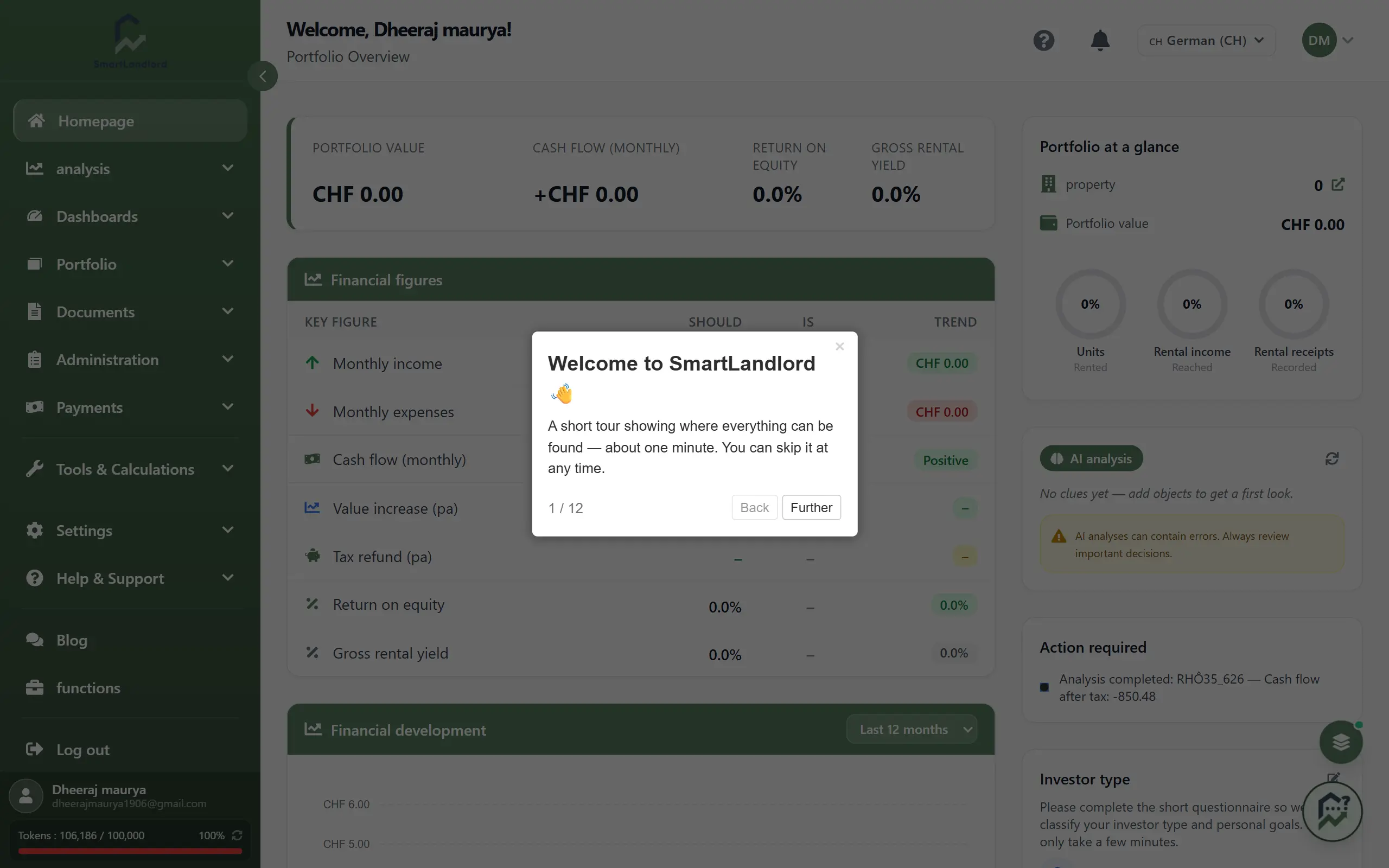
The home page (Home) is your portfolio overview.
The home page shows:
- the four figures Valore del portafoglio, Flusso di cassa (mensile), Rendimento del capitale proprio and Rendimento lordo,
- the Metriche finanziarie table and the Sviluppo finanziario chart, whose period you can change,
- the map Le tue proprietà,
- Portafoglio a colpo d'occhio, the Analisi AI with its Aggiorna button, and notices under Azione richiesta.
The figures only fill in once you have added properties.
On your first visit a short tour of the interface starts, once per browser. The question-mark icon at the top right of the home page header (tooltip "Fai il tour") starts it again at any time.
The sidebar
Everything else is reached through the sidebar on the left. Its order:
| Area | What you find there |
|---|---|
| Home | Portfolio overview |
| Assistente Smartlandlord | Chat assistant that answers questions and prepares tasks (separate guide) |
| Analisi | ImmoCheck, ValoreCheck, EnergyCheck, LocationCheck, ScenariosCheck |
| Dashboard | Reports for properties, energy, location, finances and management |
| Portafoglio | Il mio inventario and Il mio finanziamento |
| Gestione | Aggiungi immobile, Contatti, Inquilini, Contratti di locazione, Costi operativi, Messaggi, Calendario |
| Pagamenti | Banca, Entrate, Uscite |
| Documenti | Gestisci and Crea |
| Strumenti e calcoli | Calculators; which ones appear depends on your account's country |
| Area partner | Access to the partner programme |
| Impostazioni | User settings, plan, tokens |
| Aiuto e supporto | Help page, support tickets, contact (separate guide) |
Groups can be opened and closed; the group of the current page opens by itself.
Where to begin
Almost everything in SmartLandlord needs at least one property. There are two ways to add one:
- Aggiungi immobile (under Gestione): the quick way if you mainly want to manage properties. You can upload an exposé as a PDF to pre-fill the form.
- ImmoCheck (under Analisi): the full analysis with financing, cash flow and yield.
Or ask the Assistente Smartlandlord to help you add one.
After that, a typical path is:
- Check the analysis result or your property under Il mio inventario.
- Record tenants and leases under Gestione.
- Add the financing under Il mio finanziamento.
- Look at the figures on the home page and under Dashboard.
The home page, dashboards and reports calculate from the data you have entered. If details are missing, figures stay empty or are off.