Documenti

Manage and Organize Your Property Documents

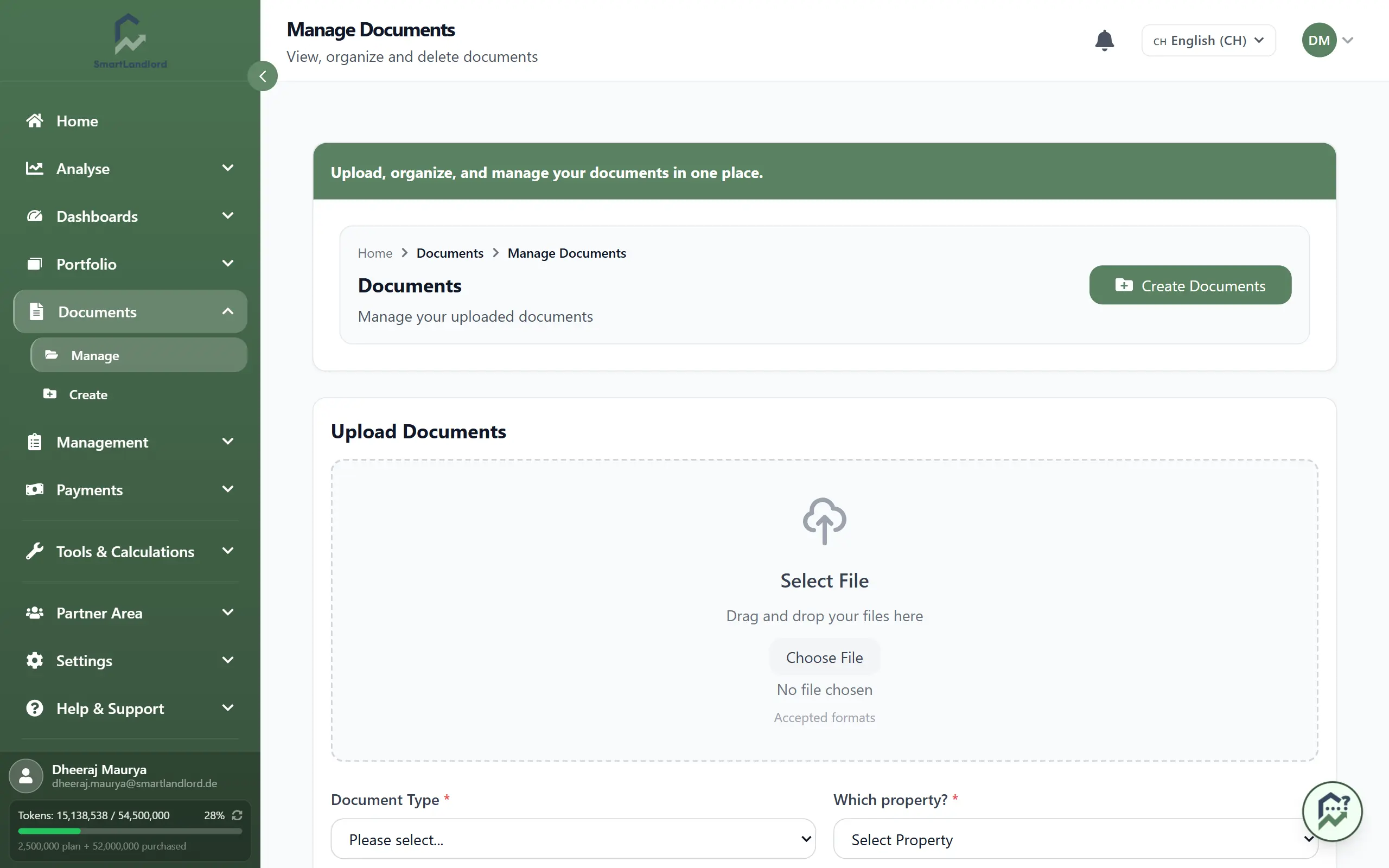
Store all your property paperwork in one place. Open DocumentiGestione dei documenti to upload, find, and manage documents such as leases, contracts, certificates, and inspection reports.

Keeping documents organized in a central location makes it easier to find important records when they are needed and helps keep property information together.


1. Upload a document

To add a new file:

1. Go to DocumentiGestione dei documenti.

2. Click Carica documento.

3. Choose the file from your computer.

4. Pick the document type (for example, lease, maintenance, certificate).

5. Select the property the document belongs to.

6. Confirm to upload.

Supported files include PDF, Word, and images.

Before uploading, verify that the selected document type and property are correct. Incorrect assignments can make documents difficult to find later.

Manage documents overview

2. Find and download documents

All your files appear in a table under Documenti salvati.

To find a document:

  • Use Ricerca documenti... to search by name or text.
  • Use the type filter (Tutti i tipi di documenti) to show only a specific document type.
  • Use the property filter (Tutte le proprietà) to show only documents for one property.
  • Use the sort buttons (Ultimo primo, Prima il più vecchio, Nome (A-Z), Nome (Z-A), Per tipo) to reorder the list.

Each row has action buttons:

  • Scarica to download the file.
  • Elimina to remove it from the system.

When you have many documents, the list is split across pages. Use the pagination controls at the bottom of the table to move between pages; the counter shows which documents you are viewing (for example, "21–40 di 127").

Searching, filtering, and sorting can help you locate documents more quickly, especially when managing multiple properties and larger document libraries.


3. Reassign a document (inline edit)

If a document ended up with the wrong document type or property, you can fix it directly in the list — no need to delete and re-upload.

1. Find the document in the Documenti salvati table.

2. Click Edit on its row.

3. The type and property cells turn into dropdowns. Pick the correct Tipo di documento, and choose the Proprietà it belongs to (or Non assegnato to leave it unlinked).

4. Click Save to apply the change, or Cancel to discard it.

Keeping the document type and property correct is what makes filtering and searching reliable. Use inline edit to correct mistakes as soon as you notice them.


4. Organizing documents

Assigning the correct document type and property during upload helps keep records organized.

When documents are categorized consistently, it becomes easier to:

  • Locate important records.
  • Review property-related documentation.
  • Find documents associated with a specific property.
  • Manage larger collections of files.

Always link documents to the correct property and document type to maintain a well-organized document library.

Maintaining a consistent approach to document organization can save time later when searching for information.


5. Managing your document library

Review your stored documents periodically to ensure that information remains organized.

Consider checking for:

  • Duplicate files.
  • Incorrect document types — fix these with inline edit.
  • Documents linked to the wrong property — reassign these with inline edit.
  • Outdated files that are no longer needed.

Regular reviews help keep the document library accurate, reliable, and easy to use.


6. Working with downloaded files

Downloaded documents can be viewed, shared, or stored outside SmartLandlord when needed.

If a document is updated, upload the latest version and review the stored records to ensure that the correct file remains available in the system.

Keeping document records current helps reduce confusion and ensures users can access the correct version when needed.

Keeping document records current helps reduce confusion and makes it easier to locate the correct version of a file.


Tips

  • Use clear, consistent file names so you can find documents quickly.
  • Always link documents to the correct property and type.
  • Use inline edit to correct a document's type or property without re-uploading.
  • Delete outdated or duplicate files to keep your library clean.
  • Review stored documents periodically to keep records organized.
  • Confirm document details before uploading new files.

The document management area serves as the central source for important property-related records throughout SmartLandlord.

The document management area provides a central place for storing and accessing important property-related records throughout SmartLandlord.