The SmartLandlord AI Assistant
The Assistente Smartlandlord is a chat where you ask questions about your portfolio and about the platform. It can read your data, produce analyses and location assessments, evaluate files, and prepare changes that are only saved after you confirm them in the chat.
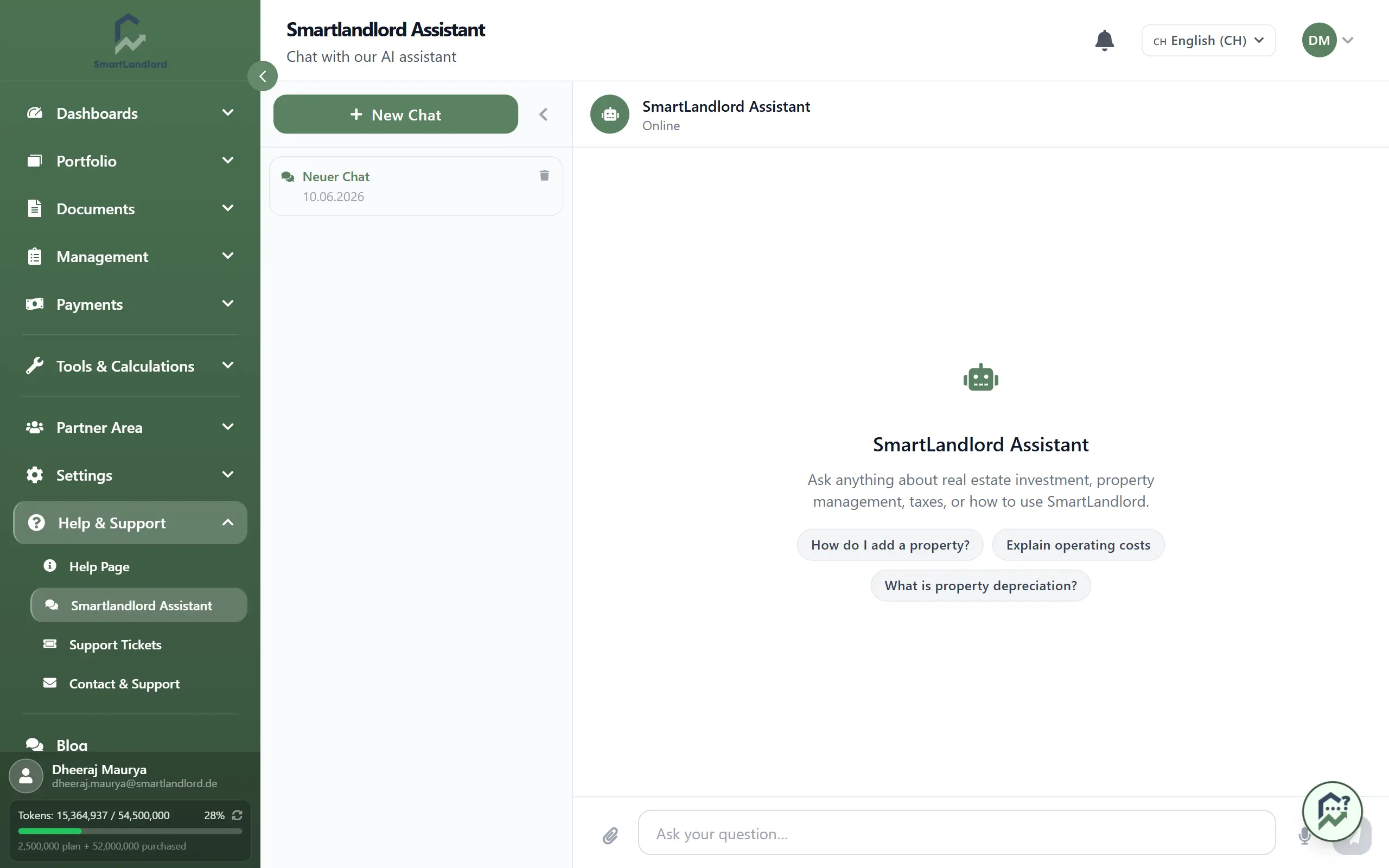
Open the chat and ask a question
- Open Assistente Smartlandlord in the sidebar, directly below Home.
- Type your question into the input field and send it with Enter or the arrow button. Shift+Enter starts a new line. While the assistant is answering, the arrow turns into a stop button.
- Or click one of the suggestions below the input field. They depend on your situation: someone without a property gets different suggestions than someone with overdue rent or an expiring fixed rate.
Next to the input field you find a paperclip (Allegare il file) and a microphone (Ingresso vocale). Voice input only works in browsers that support speech recognition.
Below each answer you can copy it, regenerate it, and rate it with thumbs up or down. "Cattiva risposta" opens a short form where you can optionally state the kind of problem and details.
The assistant can make mistakes. Check important figures before you rely on them.
Access to your data
The assistant only reads your portfolio if you allow it. As long as access has not been granted and you have not dismissed it, the card "Accesso al portafoglio per l'assistente" appears in the chat.
- Choose the categories the assistant may read: Immobili, Finanziamenti, Dati finanziari, Energia, Posizione, Inquilini, Pagamenti, Conoscenze e ricerca web and Condivisione della posizione. Categories with a tick are active; a click toggles them.
- Click Consenti l'accesso. Non ora hides the card.
You can change the selection later under Gestisci l'accesso ai dati at the bottom of the chat list on the left. There you save the new selection or withdraw access with Revoca l'accesso.
If a question needs a category you have switched off, the assistant asks for it right below the answer. Consenti e riprova grants it and asks the question again.
Access is explicitly read-only. Changes always go through a confirmation (see below).
What the assistant can do
The assistant often shows results as cards in the chat. Among others, there are these cards:
- Information: a property, financing, portfolio summary, tenants, rent payments, sale tax estimate, comparison of several properties.
- Analyses: ImmoCheck analysis, energy assessment, location assessment for any address. These large results open in a side panel next to the chat when you click the card.
- Documents and texts: create documents and rent increases (with download), e-mail drafts, find matching partners.
- Changes: create tenants, contacts, rental units, loans and payments; change properties, tenancies, loans, payments, expenses, documents and your profile; end tenancies; record rent adjustments; move an ImmoCheck draft into the portfolio; create a support ticket.
For the place where you are standing right now, the assistant first asks for your permission (Condividi la posizione). You can then correct the detected place on a map.
Attach files
Use the paperclip or drag and drop into the chat to attach files: images, PDF, Word, text, Excel and CSV. Say what you want to do with it, for example "This is the exposé, please analyse it" or "This is an invoice".
For an exposé the assistant returns an "ImmoCheck preparato" card with the button Apri modulo precompilato. Review and complete the details there.
Confirm changes
When the assistant wants to change something, it first shows a "Modifica proposta" card with the old and new values. The card says "Non è ancora stato salvato nulla: conferma nella chat.". Reply in the chat with your confirmation. Only then is it saved; the card then reads "Salvato" and has a link to view the result.
If the assistant needs more details, it asks follow-up questions with options to choose from, step by step when there are several. Your answers are sent as your next message.
History
On the left of the chat is the list of your conversations under "Assistente IA". Collapse it with the arrow at the top left of the list; when collapsed, the arrow and the chat icon open it again. Nuova chat starts a new conversation, a click on an entry opens an earlier one, and "Cancellare" removes one. Each conversation has its own address that you can bookmark.