Dashboard
Location Dashboard
The Dashboard posizione brings together all your LocationCheck assessments: key figures, a table and charts. Open it in the sidebar under Dashboard → Dashboard posizione. Scores run from 0 to 100.
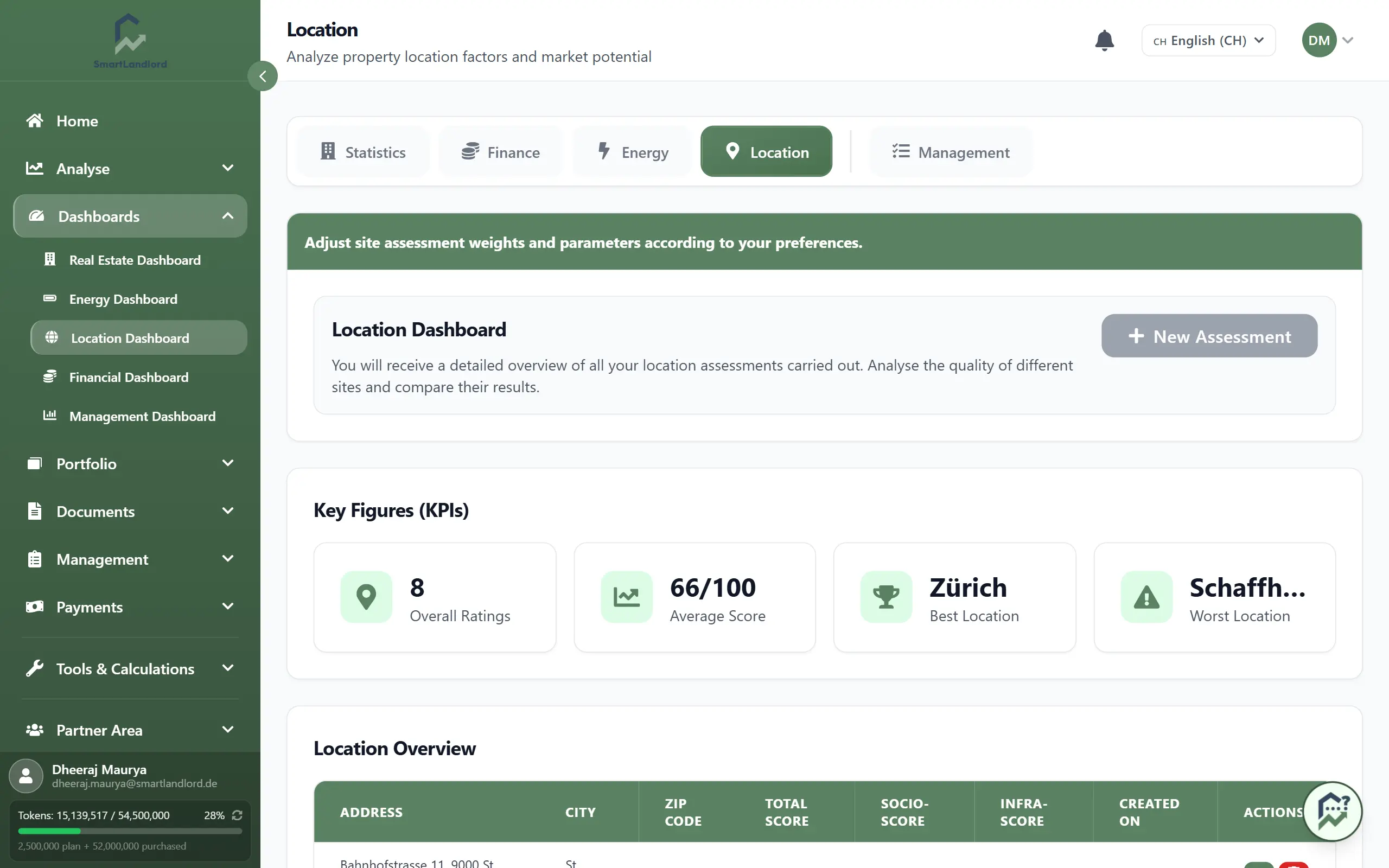
Top of the page
- Esporta PDF creates a PDF of the dashboard. The button is disabled while you have no assessment.
- Nuova valutazione opens LocationCheck so you can assess another location.
Without assessments, the table shows a notice with the button Nuova valutazione.
Cifre chiave (KPI)
Four tiles:
- Valutazioni complessive – number of your assessments.
- Punteggio medio – average of the total score.
- Posizione migliore and Peggior posizione – city (or address) with the highest and lowest total score. With only one assessment, the worst location shows a dash.
Panoramica della posizione
The table lists every assessment with address, city, postal code, Punteggio totale, Punteggio sociale, Infra-Score and creation date. The tag Immobile or Indipendente shows whether the assessment belongs to a property in your portfolio.
- The eye icon opens the detail report of the assessment.
- The trash icon exists only for standalone assessments. After a confirmation (Elimina valutazione) the assessment is deleted for good. Assessments linked to a property cannot be deleted here.
Grafici
The charts use all assessments; there is no selection here.
- One bar chart of the total score for the group Immobile and one for the group Indipendente (each only if the group has assessments).
- A scatter chart Socio vs. Infrastruttura: each point is a location, the two groups are shown in different colours.