Energy Dashboard
The Dashboard energia collects the results of your EnergyCheck analyses for the whole portfolio: key figures, a table of all assessments and four charts. Open it in the sidebar under Dashboard → Dashboard energia. The tabs at the top of the page switch to the other dashboards.
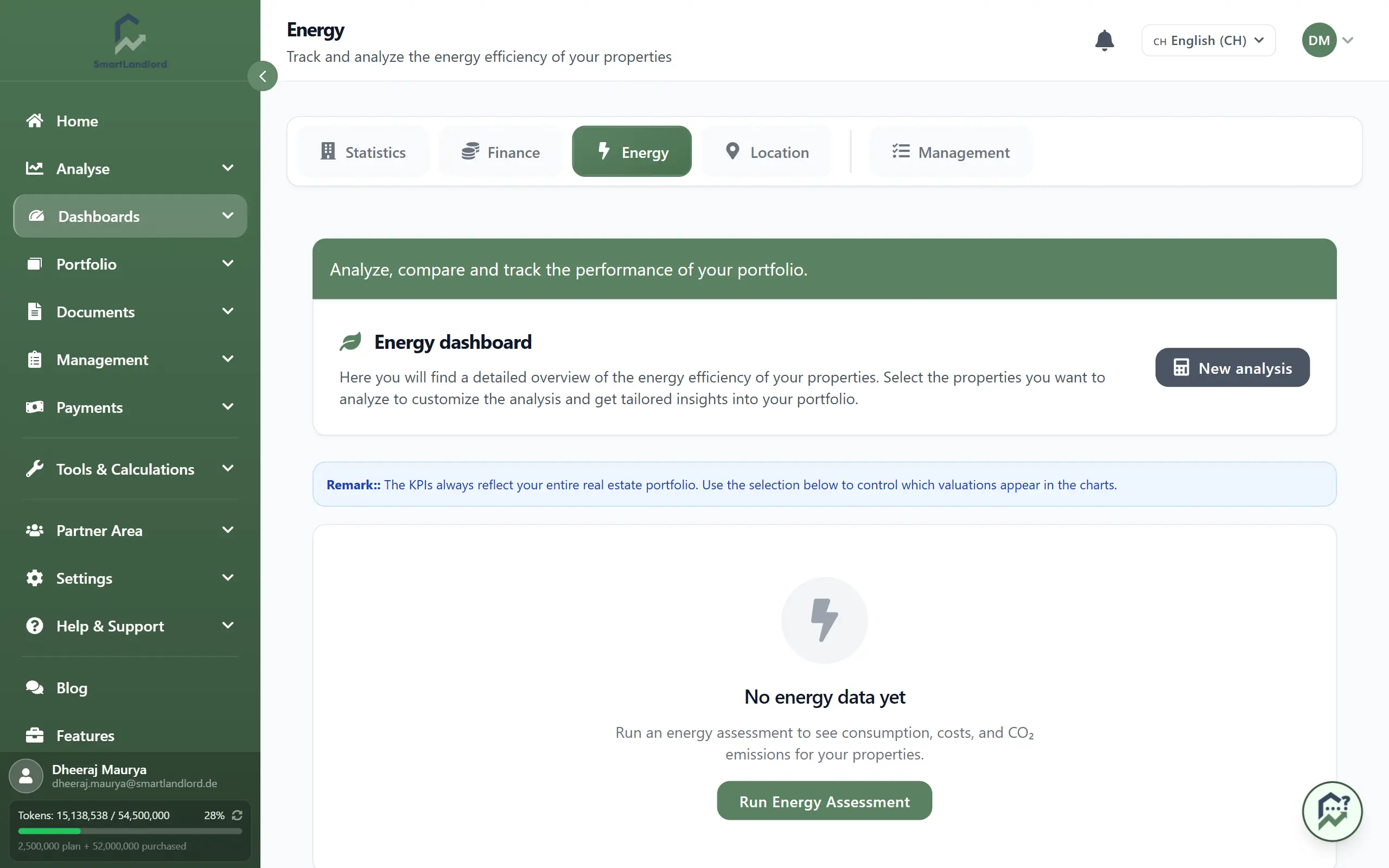
Without data
As long as you have not run an energy analysis, the page shows, instead of the selection, key figures and charts, a notice with the button Avvia valutazione energetica. It leads to EnergyCheck. The button Nuova analisi at the top of the page does the same at any time.
Two kinds of assessments
The dashboard separates two groups, which you also see in the selection and in the table:
- Valutazioni della proprietà – analyses that belong to a property in your portfolio (marked Proprietà in the table).
- Valutazioni autonome – analyses without a property (marked Standalone in the table).
Key figures, selection and charts
- The section KPI di portafoglio shows total energy consumption, heating costs, CO₂ emissions, number of properties, best efficiency class and savings potential. These values are always calculated from the assessments of your properties only, not from the independent ones.
- In the selection you tick which assessments appear in the charts. On opening, all property assessments are selected; if there are none, the independent ones are preselected. Seleziona tutto and Deseleziona tutto change the selection quickly.
- The section Grafici contains four charts for the selected assessments: Consumo di energia per proprietà, Distribuzione della classe di efficienza, Costi e consumi and CO₂ per proprietà.
Table
The Panoramica del portafoglio lists all assessments, regardless of the selection, with heating costs, energy consumption, CO₂ emissions, date and efficiency class. In the column Azioni the eye icon opens the detail report of the analysis.
Deleting an independent assessment
Only independent assessments have an additional trash icon. After a confirmation (Elimina valutazione) the assessment is deleted for good. Assessments that belong to a property cannot be deleted here.
PDF export
Esportazione in PDF (top of the page) or Generare PDF (bottom) creates a PDF of the dashboard. The buttons only appear once at least one assessment exists. The PDF is generated and then downloaded.