Flyer Generator — Create a Flyer with Your Code and QR Code
The Generatore di volantini creates a flyer with your company name, your referral code and a QR code that leads to your referral link. Everything is filled in automatically, you type nothing. You choose a template and download the flyer as a PDF or an image.
You open the page from Marketing: among the marketing materials there is the block "Volantino personalizzato" with the button Creare un volantino. There is no separate sidebar entry for it.
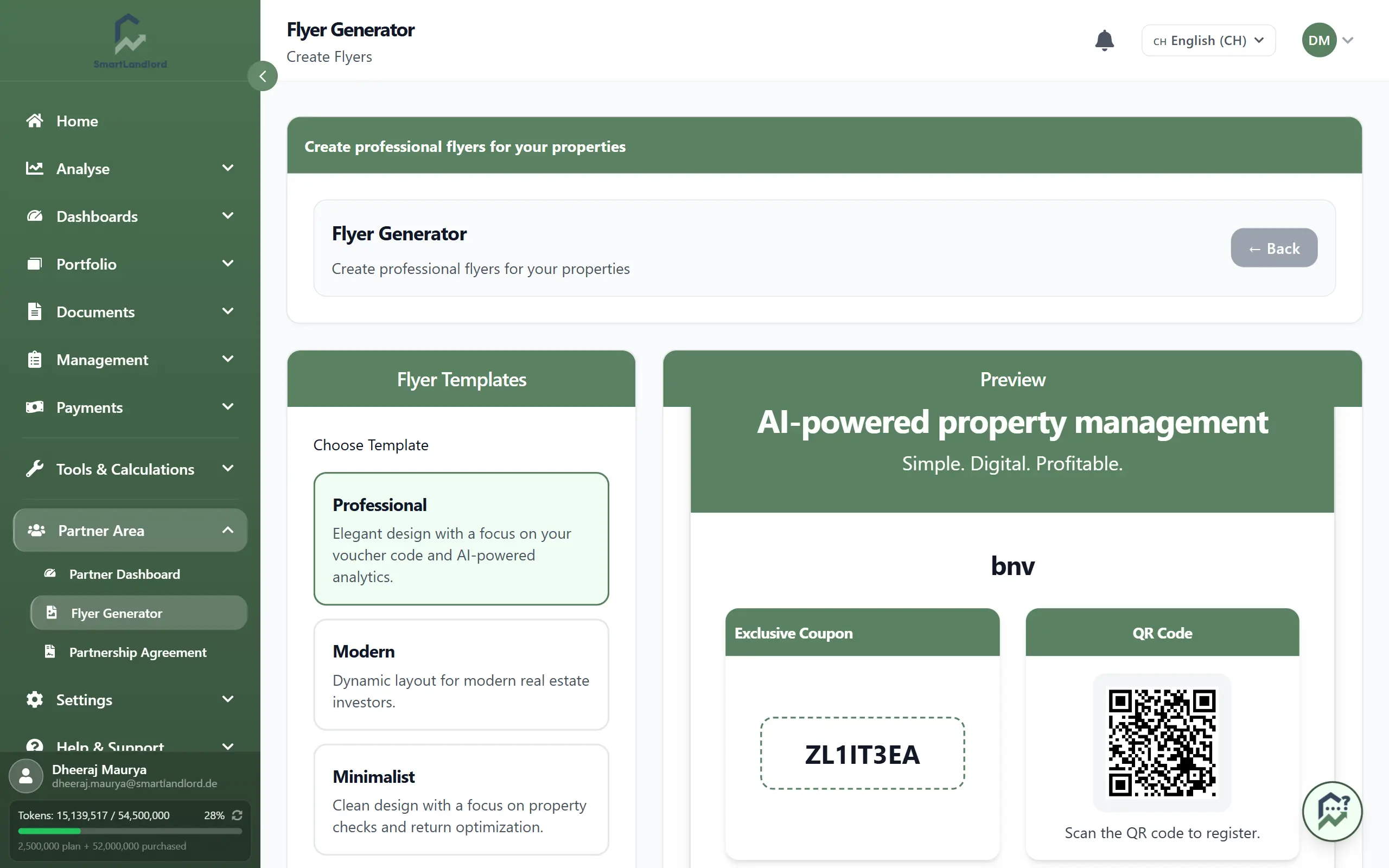
Create a flyer
- On the left, under Modelli di volantini, choose a template: Professional, Modern, Minimalist, Business, Creative or Classic. The chosen card has a green border, and "Professional" is selected at the start.
- On the right, the Anteprima shows the finished flyer at once. It updates when you switch template.
- Check company name, referral code and QR code in the preview.
- Click Scaricare PDF or Scarica l'immagine.
Depending on the template, the flyer contains:
- "Recommended by" with your company name
- your referral code and the note about the partner discount
- the QR code to your referral link
- a short introduction to SmartLandlord's AI analyses and management features
- a short "how it works" guide (register, enter the code, get started)
- a footer with the company's website, email and phone number
During the PDF export a window shows the progress. In the PDF, your referral link is added below the flyer as clickable text. If the export fails, a message appears and you can try again.
The code and the QR code come from your partner account. If "—" is shown instead of your code, your account has no code or the data could not be loaded. Do not download the flyer in that case.
← Back at the top of the page returns you to the previous page.