Income: keeping track of rent received
Under Pagamenti → Entrate you see, for one month, how much rent was expected, how much has arrived, and which tenants are short. Income is grouped by property.
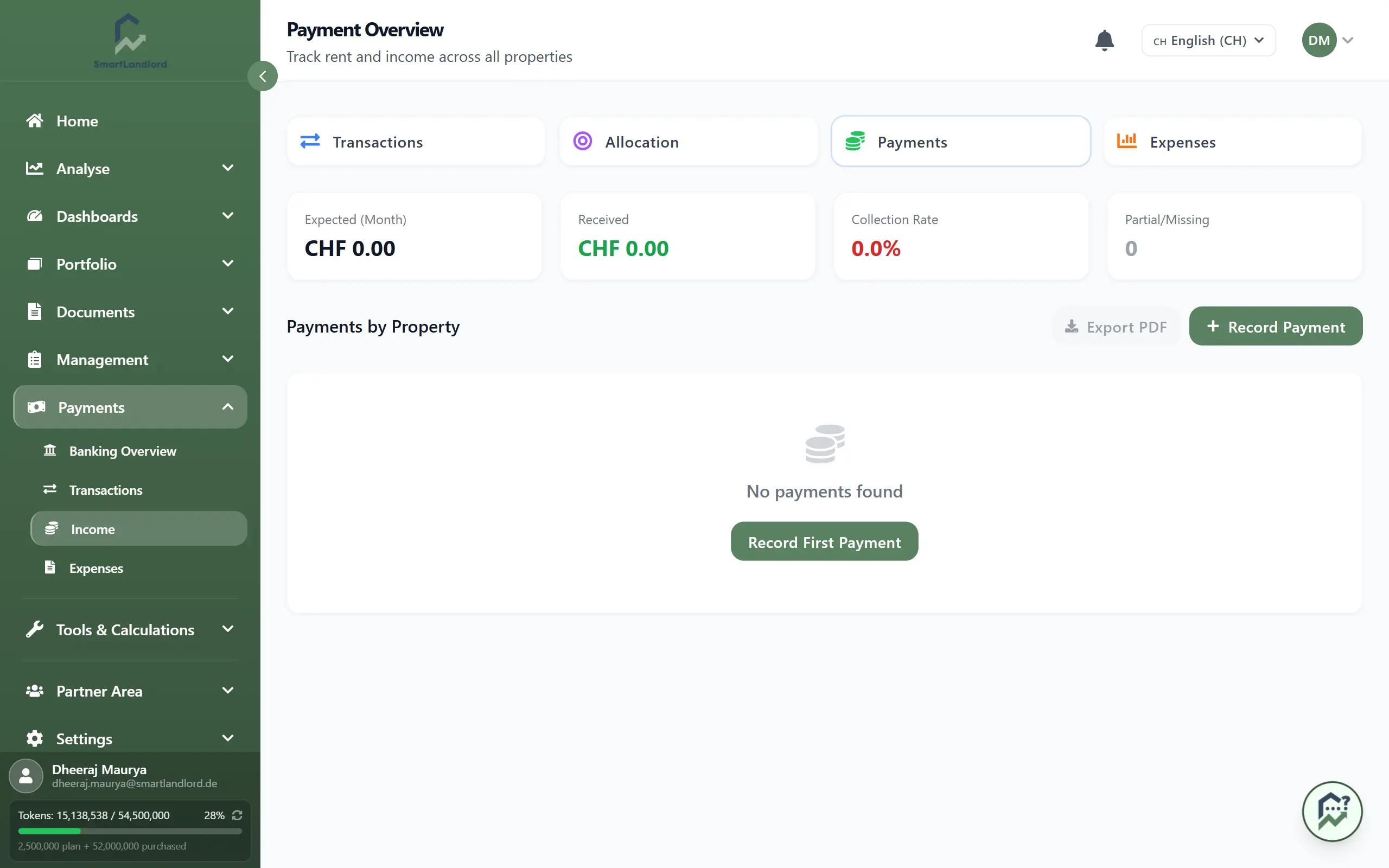
Month and key figures
Use the arrows next to the month name to change the month. You cannot page into the future. Figures and list always refer to the same month.
- Previsto (mese): the expected rent.
- Ricevuto: the amount received.
- Tasso di incasso: received relative to expected.
- Parziale/Mancante: number of partial payments. If it is above 0, a yellow notice says some tenants have not paid the full amount.
If the rate is well above 100 %, a notice warns about over-collection and advises checking for double payments or wrongly assigned transactions.
Income per property
Under Pagamenti per proprietà each property is expanded, with its number of payments. The table shows per payment: Inquilino and date received, Periodo, Tipo, Previsto, Ricevuto and Stato. Below the table is the property total (Totale).
| Status | Meaning |
|---|---|
| Ricevuto | The expected amount has arrived. |
| Parziale | Less arrived; the difference is shown in red under the amount. |
| Sovrapagato | More arrived than expected. |
The icons at the end of a row edit or delete a payment. Deleting asks for confirmation and cannot be undone.
Recording income
Income is created in two ways: you assign a bank transaction (see the guide on transactions), or you record it yourself.
- Click Registra entrata (or Aggiungi pagamento inside a property). A side panel opens with the tabs Entrata and Spesa; the income tab is active.
- Choose the Tipo di pagamento, for example Affitto (caldo / totale), Affitto freddo (registrato come affitto), Spese (conguaglio NK) or Cauzione.
- Enter Data di ricezione and the amount (both required).
- Choose the Proprietà (required). The panel then offers that property's tenants; if the property has exactly one active tenant, it is already selected. Show former tenants with Mostra inquilini precedenti. The Inquilino is optional.
- Optional: Periodo (mese) (which month the payment is for), a note, and the payer's name and IBAN.
- Aggiungi pagamento.
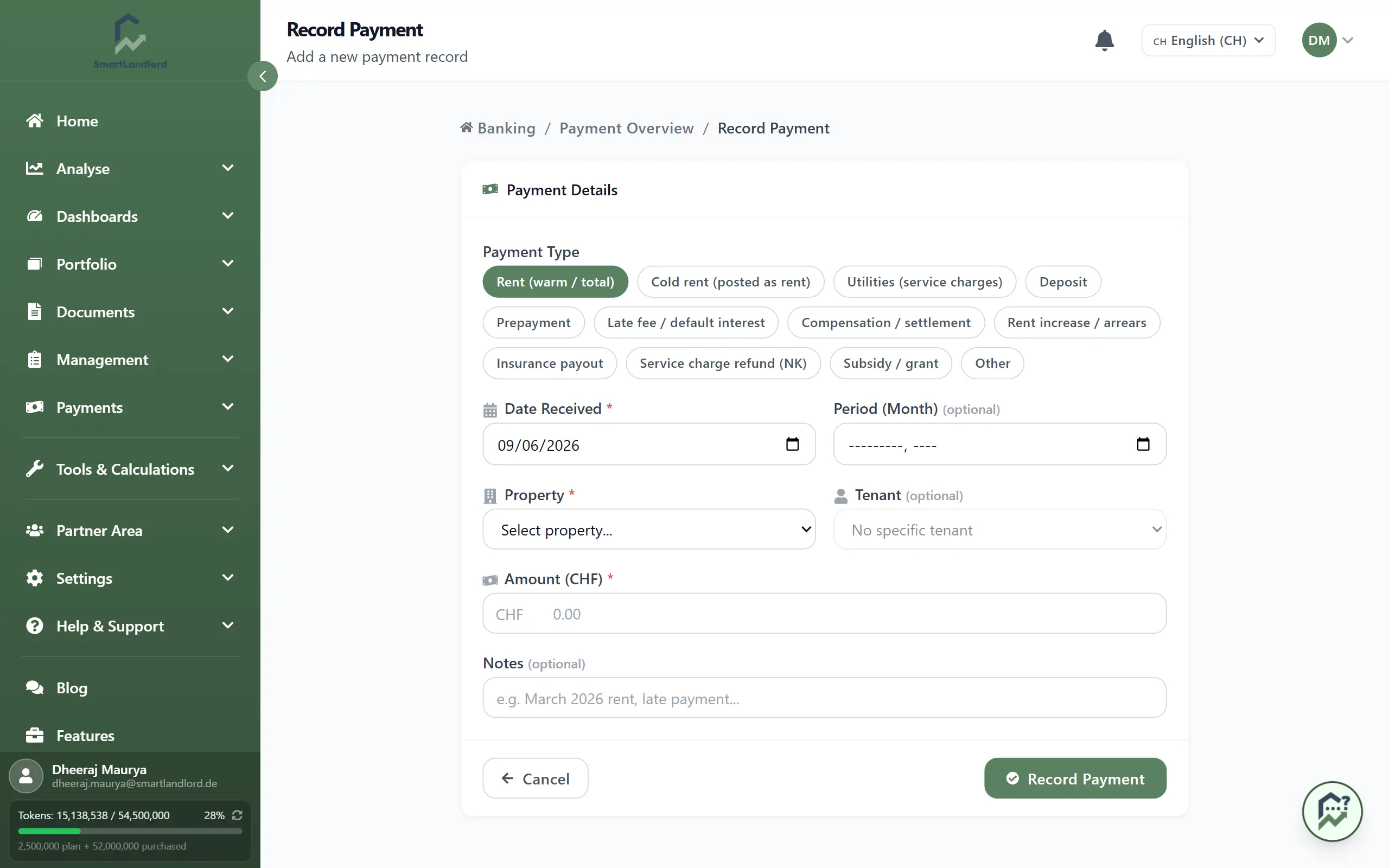
The window takes the tenant's contract rent as the expected amount only for the income types warm rent and cold rent; for all other types (and without a tenant) the amount you enter counts as expected. For rent payments, choose the tenant and the right month, otherwise expected and received will not line up.
Export as PDF
Esportazione PDF creates a PDF report of the income. The button is only active when there is income for the month.